
Caltrain:
UI Redesign
Accessibility
UI/UX Design
Caltrain:
UI Redesign
Caltrain:
UI Redesign
Accessibility
UI/UX Design
I made a train information display system more visual, accessible, and intuitive. After researching world-class public transportation, I took my design from sketches to hi-fi Figma deliverables.
Timeline: June 2025
Tools: Figma
I made a train information display system more visual, accessible, and intuitive. After researching world-class public transportation, I took my design from sketches to hi-fi Figma deliverables.
Timeline: June 2025
Tools: Figma
challenge
challenge
With the rise of mobile-only tickets and maps, what do you do without a phone on hand?
Is the system accessible? Will non-Native English speakers or elderly passengers be able to reach their destinations safely and without stress?
With the rise of mobile-only tickets and maps, what do you do without a phone on hand?
Is the system accessible? Will non-Native English speakers or elderly passengers be able to reach their destinations safely and without stress?
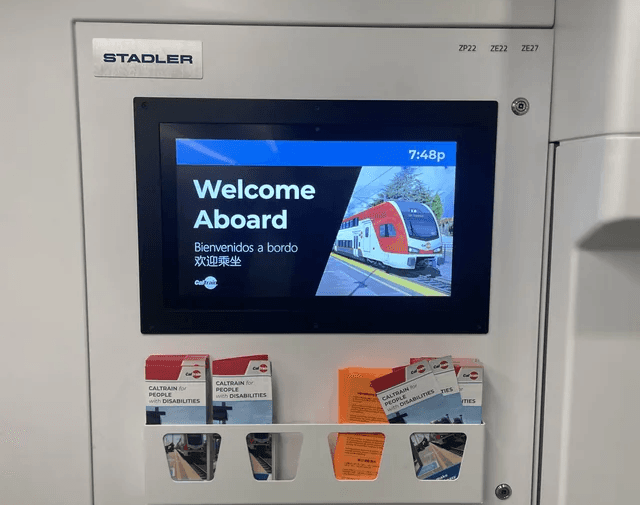
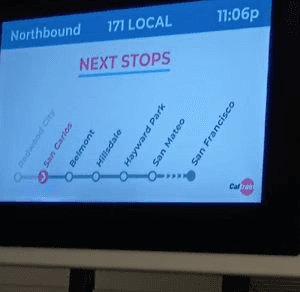
Caltrain's screens often get stuck on "Welcome Aboard." They can be hard to read quickly and leave out key information like arrival times or delays.
this creates friction for:
➢ New or elderly passengers that need guidance
➢ People without phones to navigate
➢ Anyone who isn't fluent in English, who may not be able to rely on audio announcements alone
Caltrain's screens often get stuck on "Welcome Aboard." They can be hard to read quickly and leave out key information like arrival times or delays.
this creates friction for:
➢ New or elderly passengers that need guidance
➢ People without phones to navigate
➢ Anyone who isn't fluent in English, who may not be able to rely on audio announcements alone
process
process
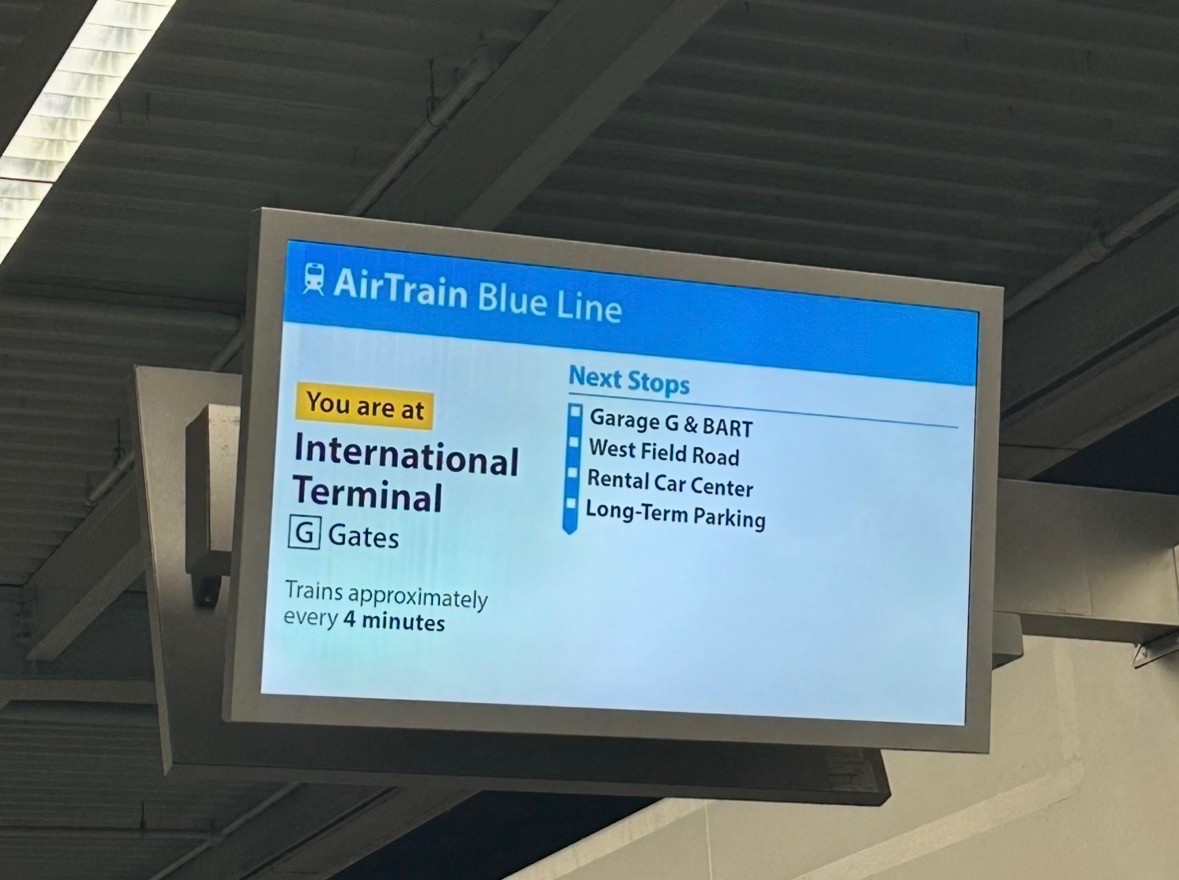
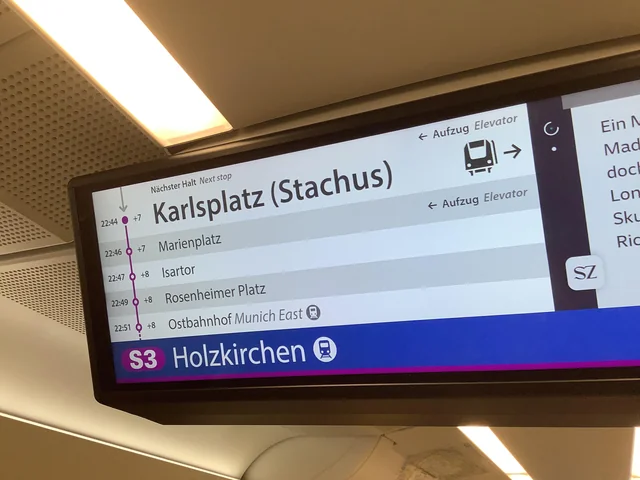
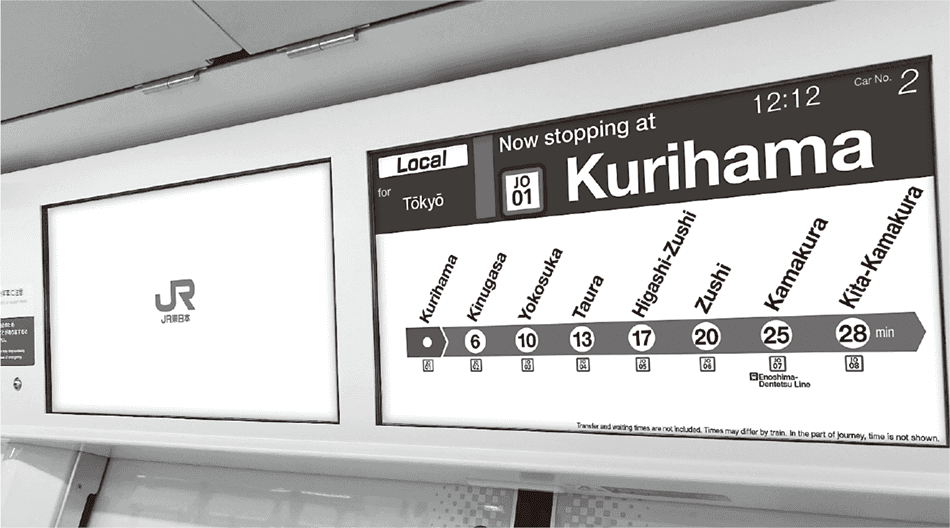
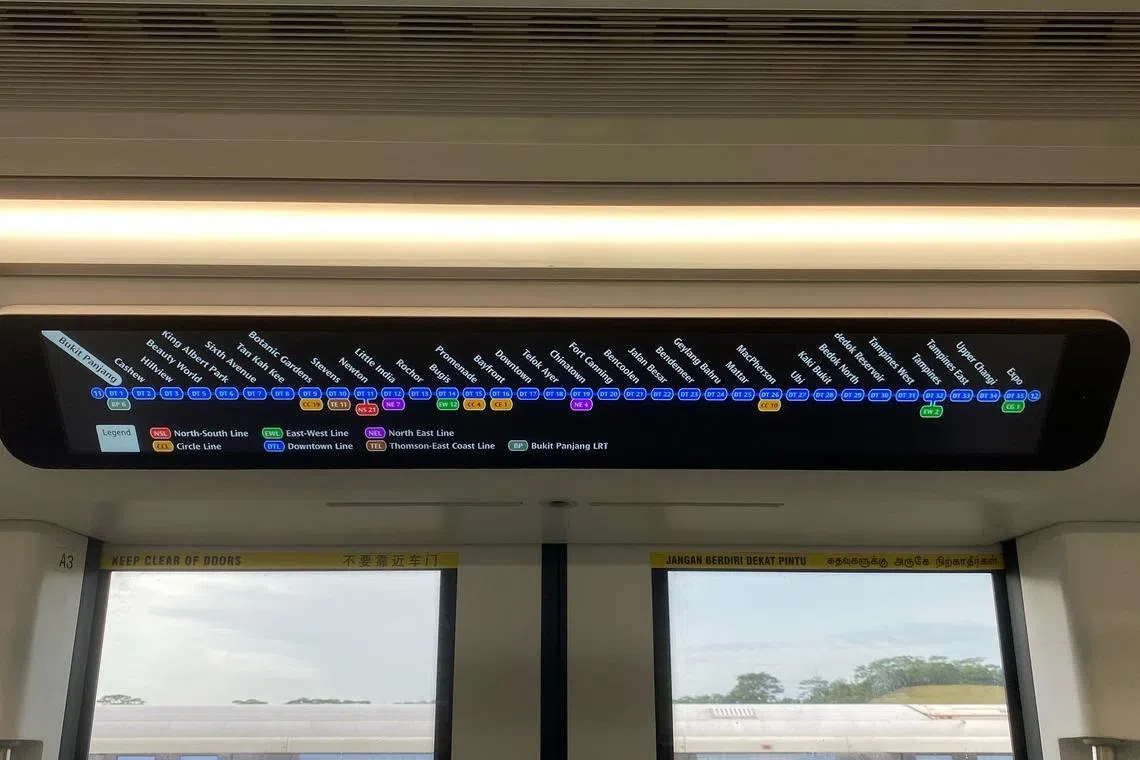
I researched public transportation display systems across the world.
i learned that:
➢ Universal visuals can replace words.
➢ Linear timelines are understood at a much faster speed than maps.
➢ The next station should be the most prominent, everything else is secondary.
I researched public transportation display systems across the world.
i learned that:
➢ Universal visuals can replace words.
➢ Linear timelines are understood at a much faster speed than maps.
➢ The next station should be the most prominent, everything else is secondary.
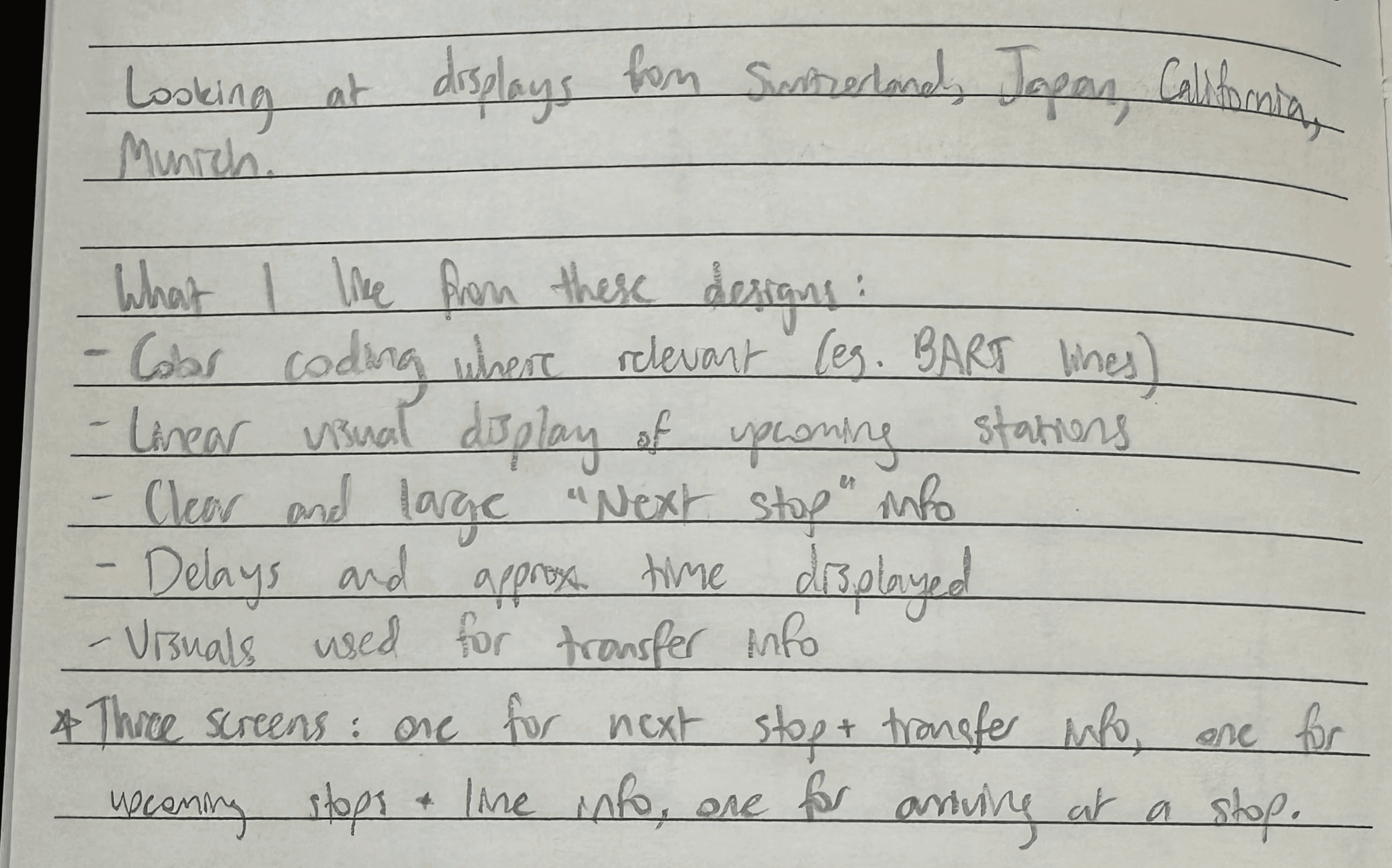
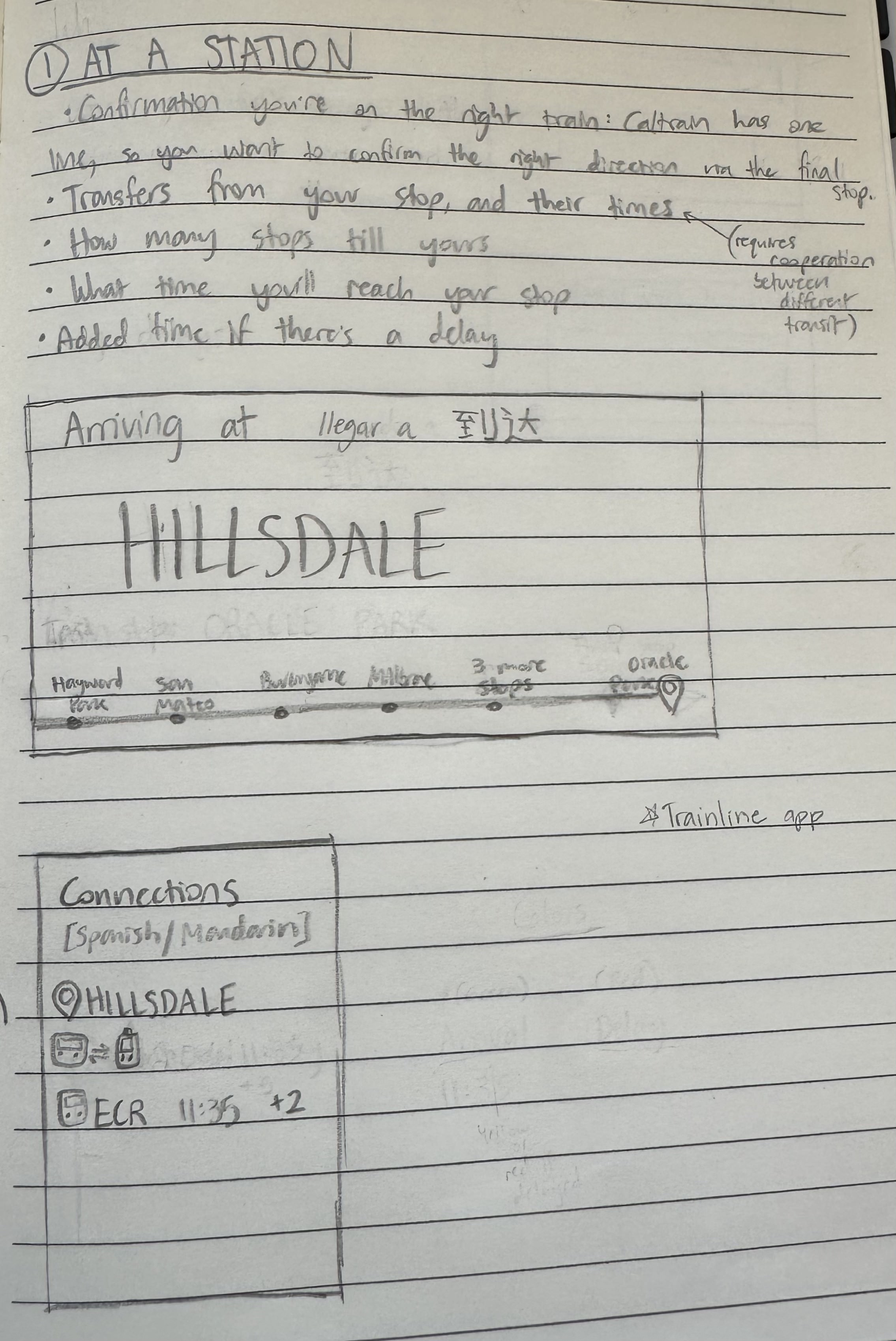
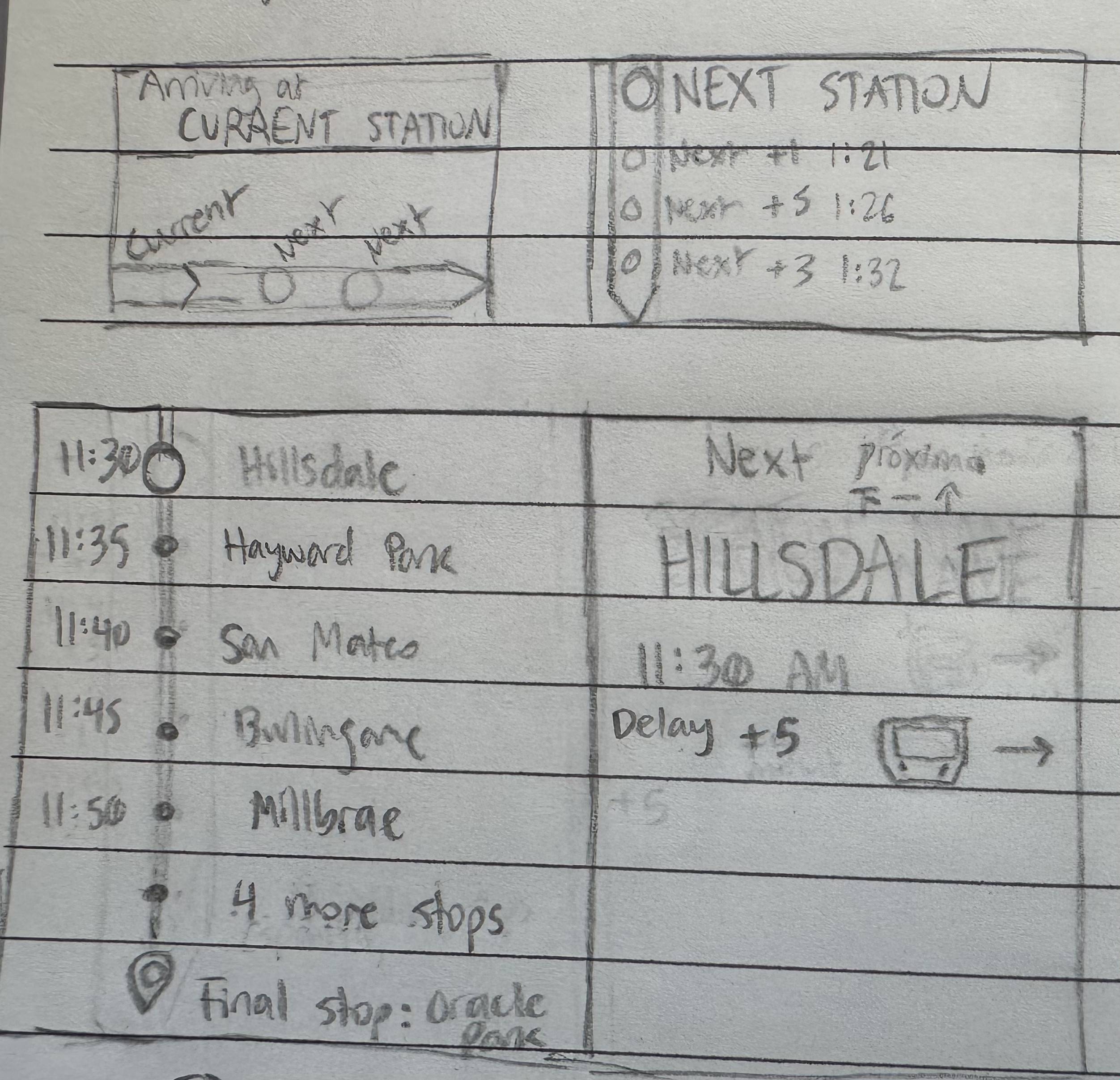
sketches and notes
sketches and notes
accessibility: test against WCAG AA
accessibility: test against WCAG AA
I ensured my designs meet a color contrast ratio of at least 4.5:1.
I ensured my designs meet a color contrast ratio of at least 4.5:1 (see before -> after)


final product
final product
The final screens are clear and accessible. Multiple languages and an intuitive timeline resolve pain points in the existing system.
The final screens are clear and accessible. Multiple languages and an intuitive timeline resolve pain points in the existing system.
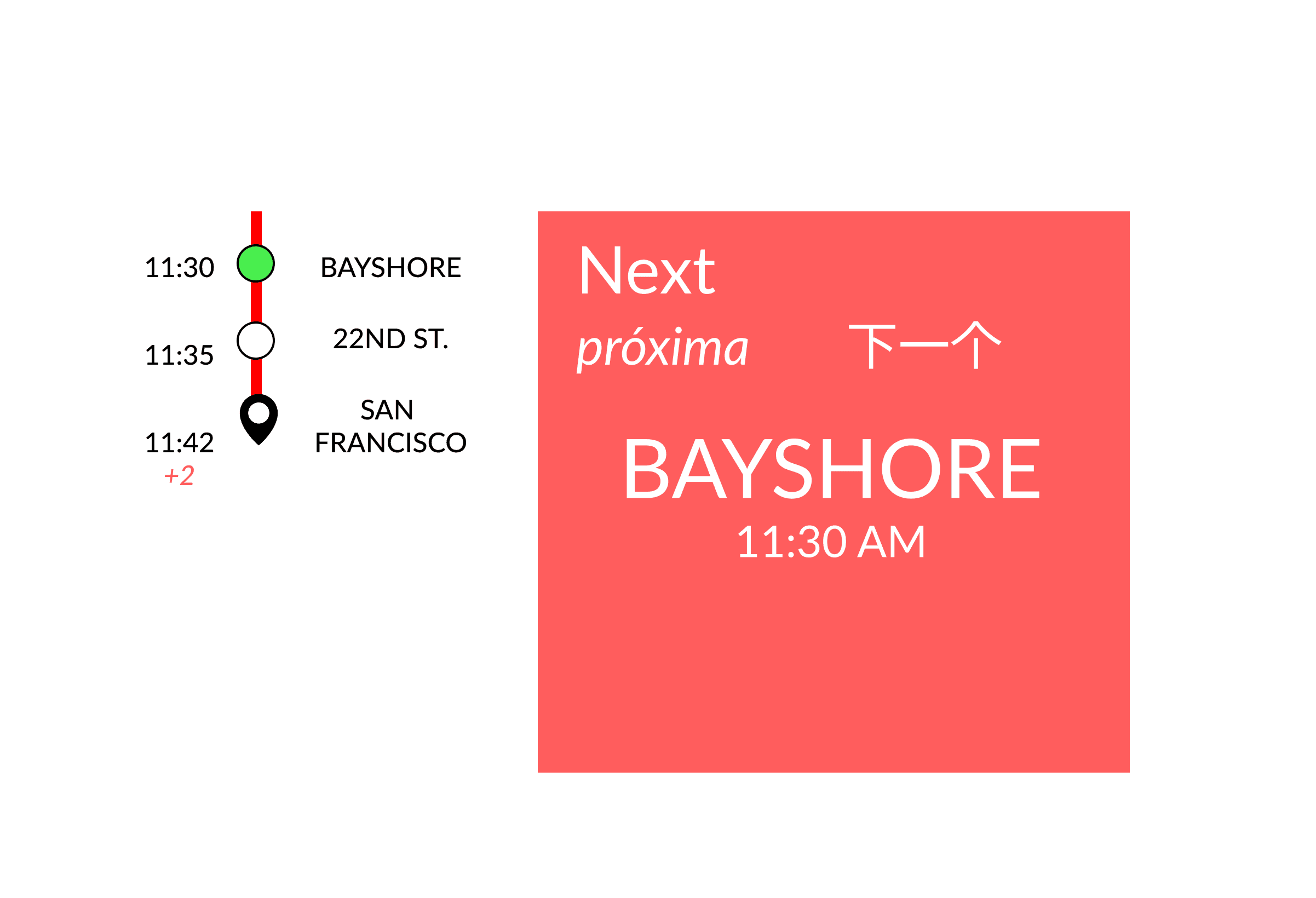
display one: arriving at the station
display one: arriving at the station
goal:
Help users orient themselves immediately. Provide clarity for people on the train, and new boarders.
design:
➢ Minimalist UI lowers cognitive overload
➢ A different color for the current stop immediately draws the eye. Green is a cue for "Go!"
➢ Accessible high-contrast text
➢ Three languages boost inclusivity
result:
Know where you are and where you're headed in under 2 seconds.
goal:
Help users orient themselves immediately. Provide clarity for people on the train, and new boarders.
design:
➢ Minimalist UI lowers cognitive overload
➢ A different color for the current stop immediately draws the eye. Green is a cue for "Go!"
➢ Accessible high-contrast text
➢ Three languages boost inclusivity
result:
Know where you are and where you're headed in under 2 seconds.
display two: next stop
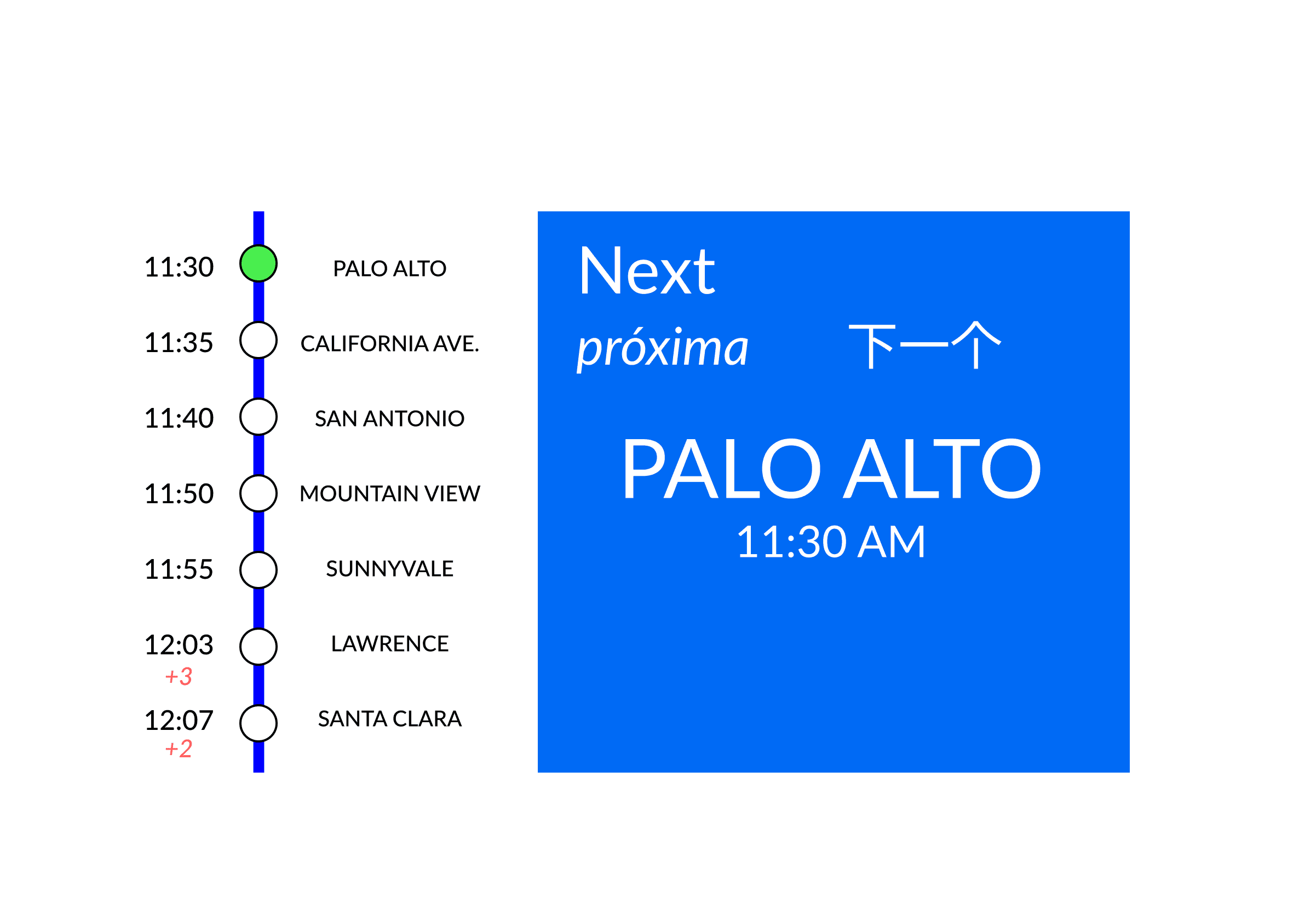
display two: next stop
goal: Show riders the next stop, as well as other stops in more detail so they can plan accordingly.
design:
➢ Stops include delays and arrival times
➢ The next station is clearly written on screen and visually highlighted
➢ High-contrast text is accessible and readable
result:
Passengers get more information without the visual clutter, including arrival times.
goal:
Show riders the next stop, as well as other stops in more detail so they can plan accordingly.
design:
➢ Stops include delays and arrival times
➢ The next station is clearly written on screen and visually highlighted
➢ High-contrast text is accessible and readable
result:
Passengers get more information without the visual clutter, including arrival times.

display three: connections
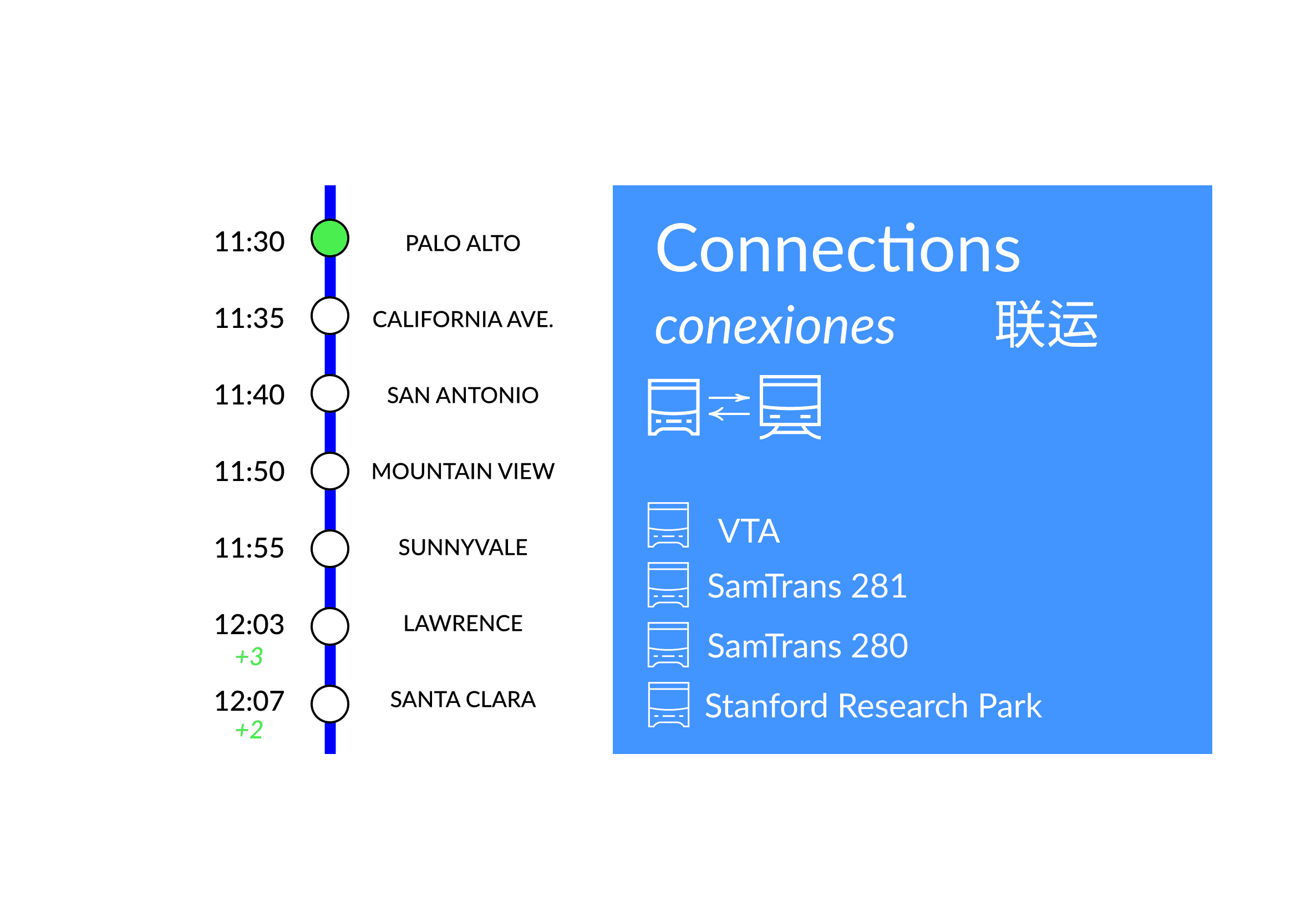
display three: connections
goal:
An interconnected system that encourages public transportation use.
design:
➢ Transfers listed with icons
➢ Upcoming stops remain on screen
➢ Designed for fast decision-making and simplicity
➢ Three languages boost inclusivity
result:
Users can quickly find transfer options, allowing them to take full advantage of California's public transport.
goal:
An interconnected transportation system where users can easily identify bus/train connections.
design:
➢ Transfers are listed with clear icons and minimal visual clutter
➢ Upcoming stops remain on screen
➢ Designed for fast decision-making and simplicity
➢ Three languages boost inclusivity
Result: Users can quickly see transfer options, allowing them to take full advantage of California's public transport.


i emphasized accessibility and inclusive design, which guided my trade-offs and visual decisions.