Psi Eta Mu Attendance Tracker
Psi Eta Mu Attendance Tracker
2025
UX Design | Efficiency | Data Visualization
2025
UX Design | Efficiency | Data Visualization
ABOUT
ABOUT
A 10-second form automates an attendance system for 200+ people. We redesigned attendance for Psi Eta Mu, a professional information science fraternity at UIUC. Our system is being implemented in spring 2026, so stay tuned for how it holds up.
My role:
➢ UI/UX designer on a 3-person team
Our Team: Kaushik Setty, Ishani Anand, Pavitra Shankar
A 10-second form automates an attendance system for 200+ people. We redesigned attendance for Psi Eta Mu, a professional information science fraternity at UIUC. Our system is being implemented in spring 2026, so stay tuned for how it holds up.
My role:
➢ UI/UX designer on a 3-person team
Our Team: Kaushik Setty, Ishani Anand, Pavitra Shankar
CHALLENGE
CHALLENGE
Members get points based on how many events they attend. Before, attendance was tracked with a Google form. Members submitted a "code word" announced at the event. Organizers manually logged attendance data for 200+ people each week.
Members get points based on how many events they attend. Before, attendance was tracked with a Google form. Members submitted a "code word" announced at the event. Organizers manually logged attendance data for 200+ people each week.
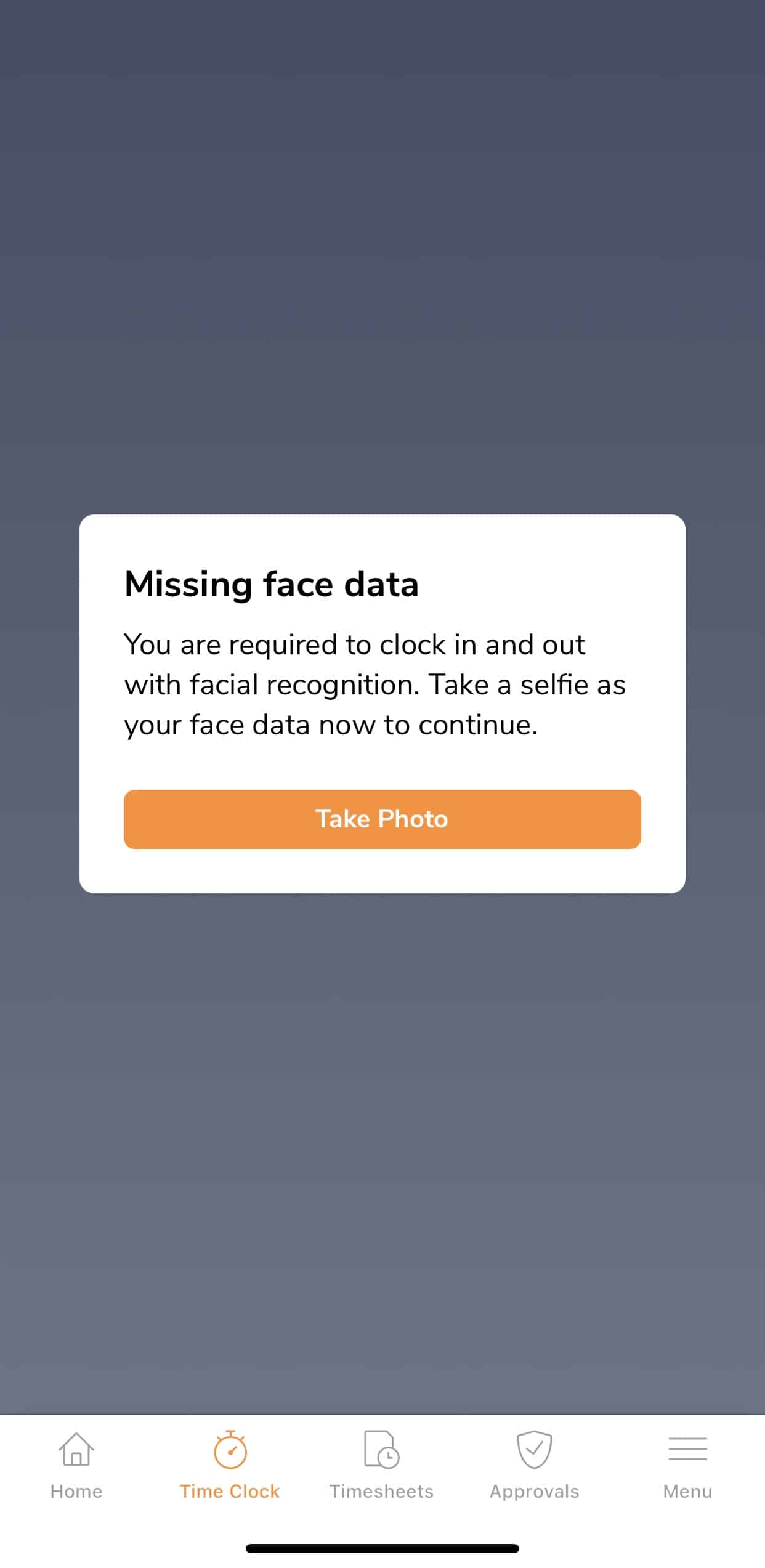
We tried Jibble, a 3rd-party app, but it wasn't user-friendly and required a lot of personal data.
We tried Jibble, a 3rd-party app, but it wasn't user-friendly and required a lot of personal data.
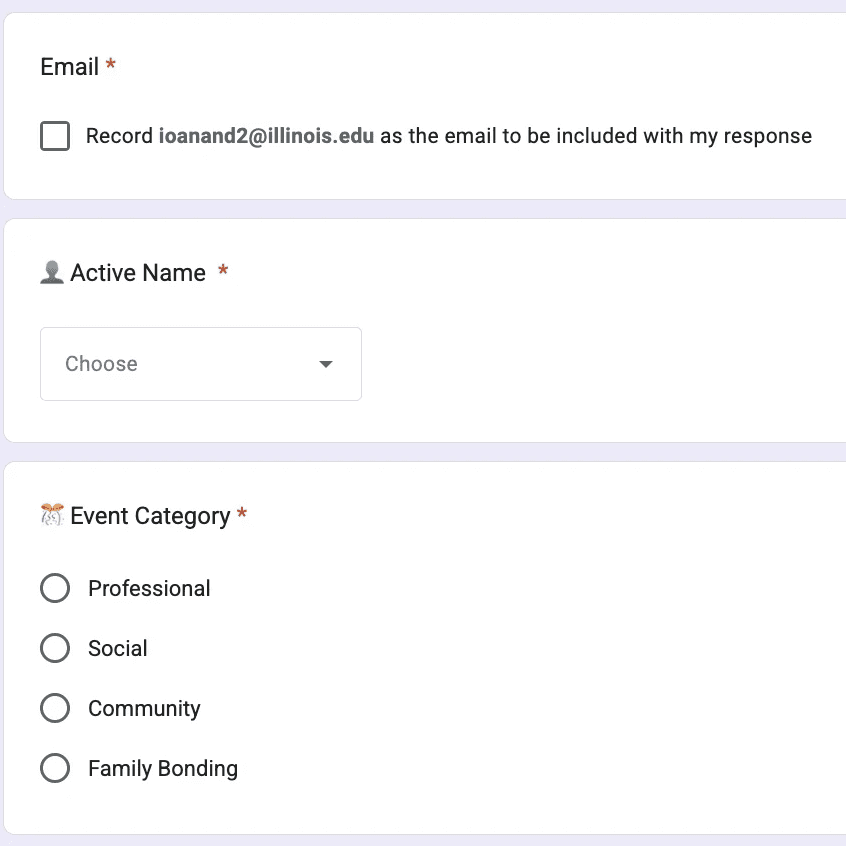
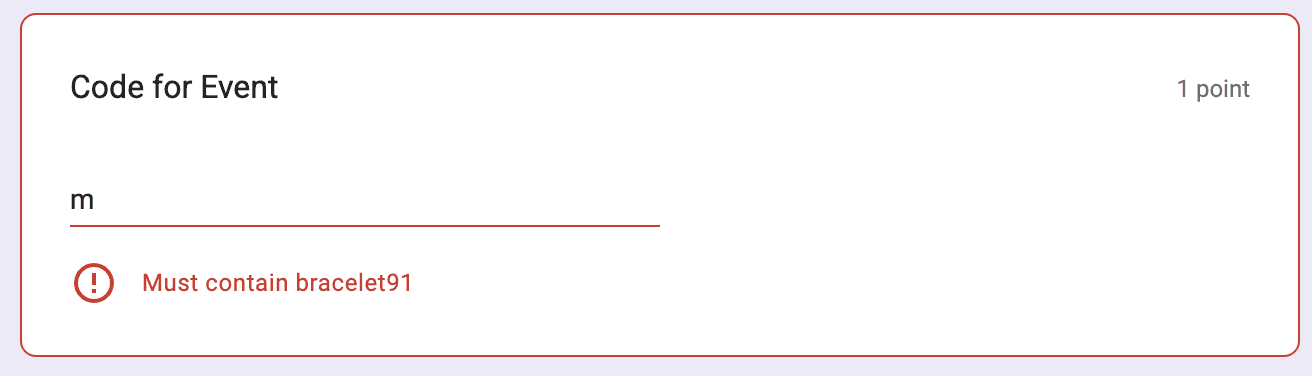
While testing the current system, we learned that the form has actually just been telling members the code word itself!
While testing the current system, we learned that the form has actually just been telling members the code word itself!
We wanted to streamline the attendance process for:
➢ Students submitting their attendance
➢ Exec tracking everyone's attendance points
We wanted to streamline the attendance process for:
➢ Students submitting their attendance
➢ Exec tracking everyone's attendance points
PROCESS
PROCESS
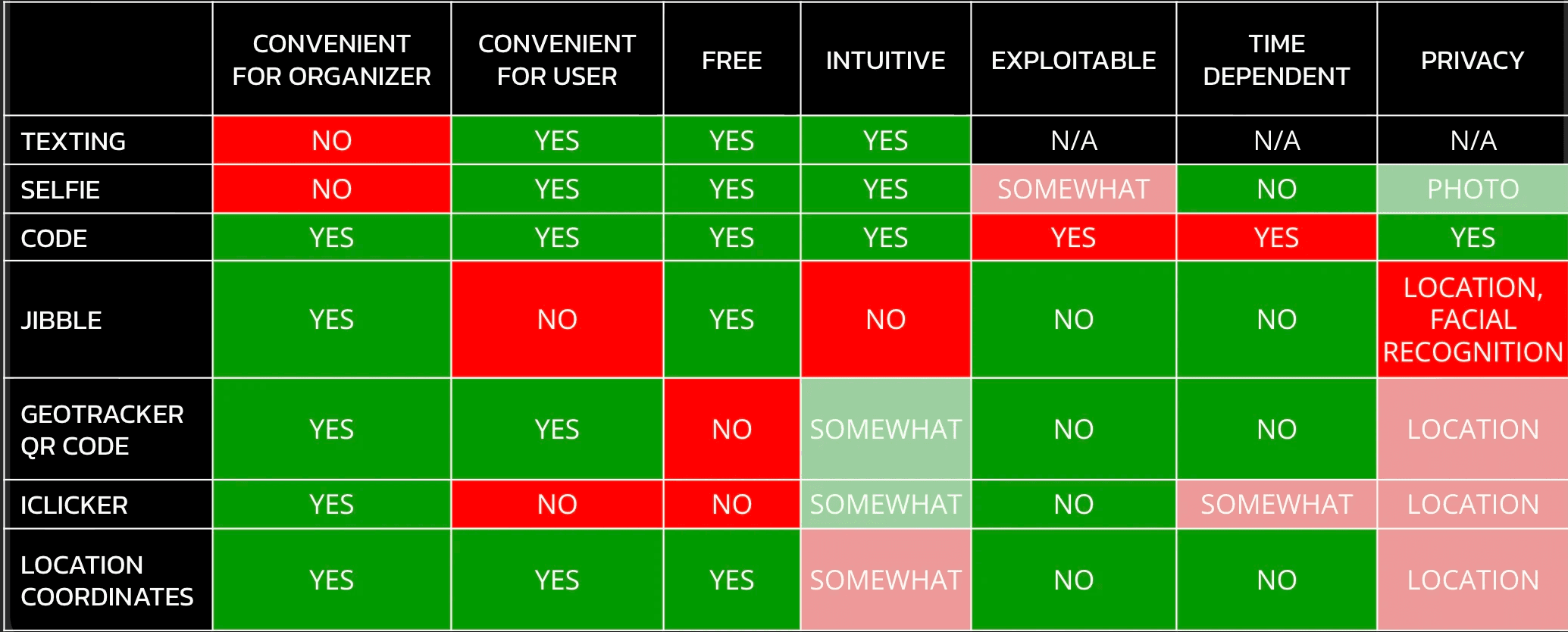
I created this UX Comparison Table to guide our design decisions.
Some factors we considered:
➢ Intuitive: Or else college students will hate it.
➢ Exploitable: We wanted to make sure no one could get attendance points without actually being there!
➢ Time-Dependent: If someone leaves early or arrives late, they should still be able to submit attendance. A problem with the "code word" was that people could miss the announcement.
I created this UX Comparison Table to guide our design decisions.
Some factors we considered:
➢ Intuitive: Or else college students will hate it.
➢ Exploitable: We wanted to make sure no one could get attendance points without actually being there!
➢ Time-Dependent: If someone leaves early or arrives late, they should still be able to submit attendance. A problem with the "code word" was that people could miss the announcement.
Our final verdict: Location Coordinates.
Our form asks for your location coordinates at that moment in time.
Responses are sent to a spreadsheet. If everyone's coordinates are the same, there's a good chance they're all at the event.
Our final verdict: Location Coordinates.
Our form asks for your location coordinates at that moment in time.
Responses are sent to a spreadsheet. If everyone's coordinates are the same, there's a good chance they're all at the event.
RESULTS
RESULTS
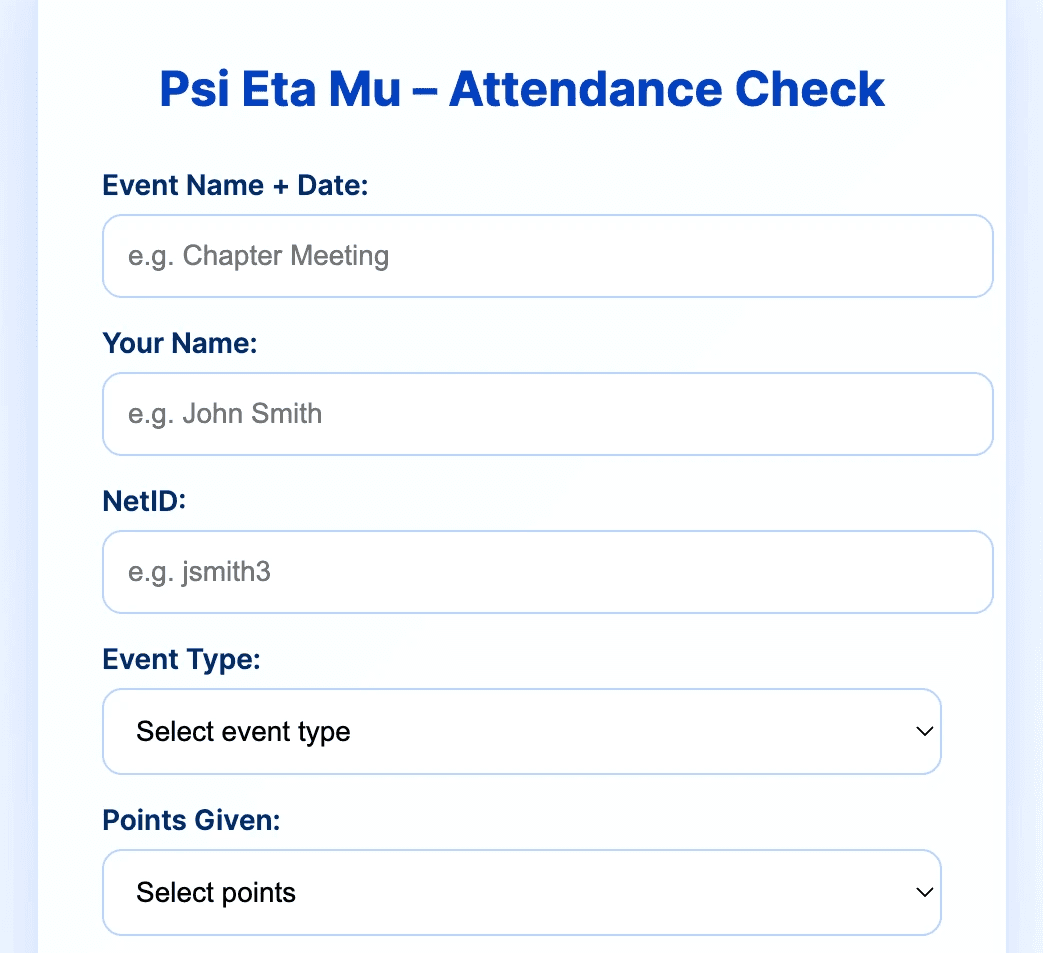
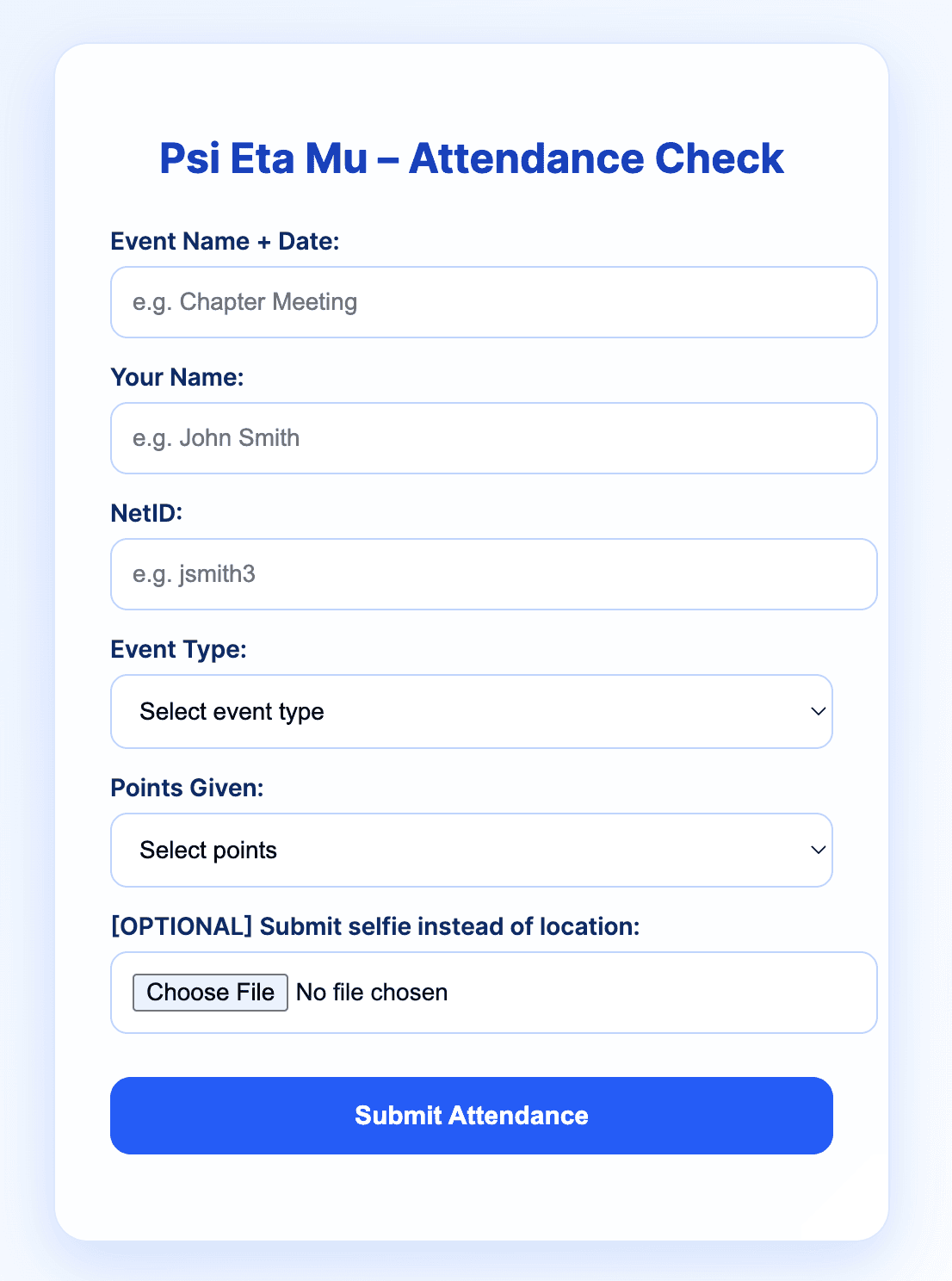
My team members led development via Google Apps Script. Here's the whole form:
My team members led development via Google Apps Script. Here's the whole form:
We're working on implementing a selfie option. This is for users logging attendance retroactively or who don't want to share their location.
We're working on implementing a selfie option. This is for users logging attendance retroactively or who don't want to share their location.
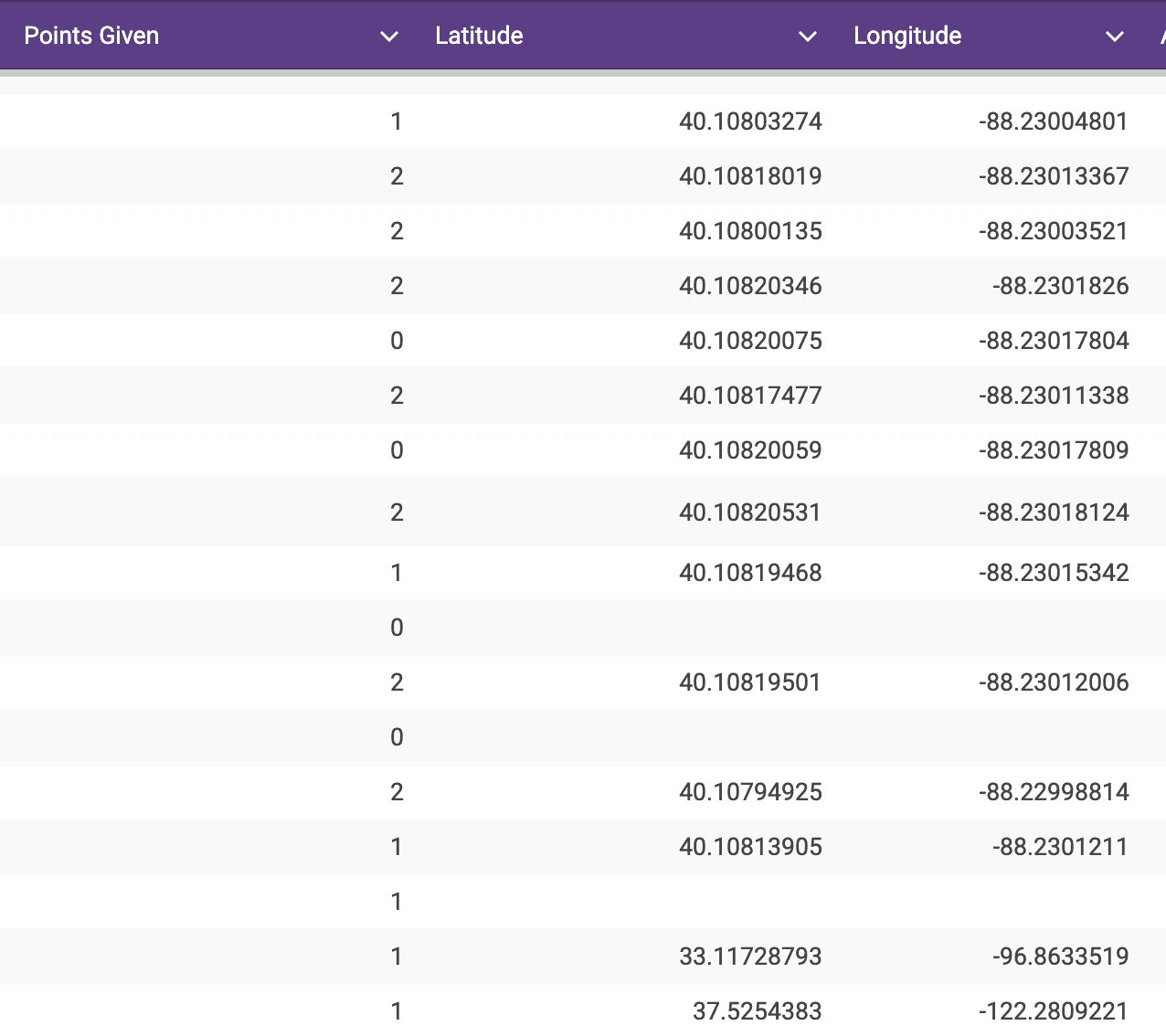
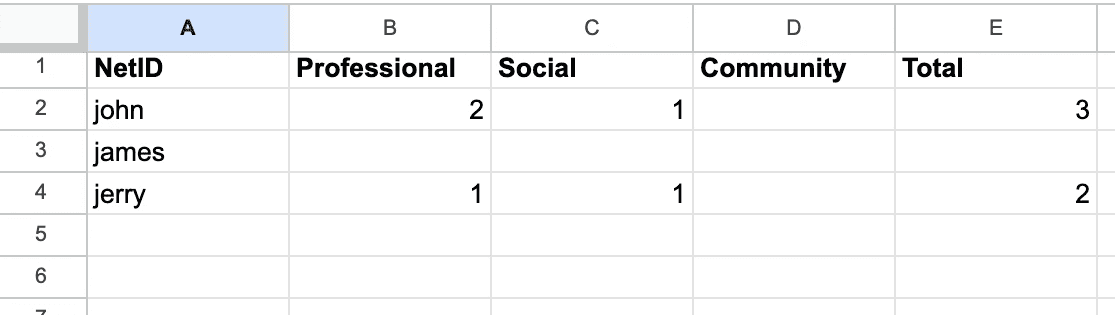
On our end, we have two connected spreadsheets to keep track of the entire organization's attendance.
The first spreadsheet has the raw data. It can be reviewed at-a-glance to make sure everyone's coordinates are in the same location.
The second spreadsheet has everyone's point totals. It automatically updates as submissions to the first spreadsheet roll in. No manual entry required!
On our end, we have two connected spreadsheets to keep track of the entire organization's attendance.
The first spreadsheet has the raw data. It can be reviewed at-a-glance to make sure everyone's coordinates are in the same location.
The second spreadsheet has everyone's point totals. It automatically updates as submissions to the first spreadsheet roll in. No manual entry required!
Spreadsheet #1
Spreadsheet #1
Spreadsheet #2
Spreadsheet #2
Our team combined our skills in design, development, and data to not just improve the attendance form, but streamline the entire system.
User Testing and Rollout: Coming Soon
Check in later for updates to this page!
Our team combined our skills in design, development, and data to not just improve the attendance form, but streamline the entire system.
User Testing and Rollout: Coming Soon
Check in later for updates to this page!
Every experience is a chance to learn something new. I'm ready for the next one.
San Francisco, CA / Champaign, IL
Every experience is a chance to learn something new. I'm ready for the next one.
San Francisco, CA / Champaign, IL