Reflections | Projections
Reflections | Projections
Reflections | Projections
Shipped Product
Rapid Prototyping
UI/UX Design

Reflections | Projections is the largest student-run tech conference in the Midwest. I produced weekly deliverables to bring this year's app, website, and merch to life.
Team: One of 6 UX designers, working cross-functionally with 50+ staff across several teams.
Timeline: Feb-Sept 2026
Tools: Figma, FigJam
Reflections | Projections is the largest student-run tech conference in the Midwest. I produced weekly deliverables to bring this year's app, website, and merch to life.
Team: One of 6 UX designers, working cross-functionally with 50+ staff across several teams.
Timeline: Feb-Sept 2026
Tools: Figma, FigJam
a launched product with 500+ users
a launched product with 500+ users
check out the website here!
the app, RP 2026, is available on the app store.
check out the website here!
the app, RP 2026, is available on the app store.

challenge
challenge
R|P needs an app and website that:
Tells attendees the logistics — where to go, when to arrive, and how to make the most of their time.
Promotes speakers and events before the conference.
Monitors attendance to improve for next year — what did people like and why?
Get students excited!
R|P needs an app and website that:
Tells attendees the logistics — where to go, when to arrive, and how to make the most of their time.
Promotes speakers and events before the conference.
Monitors attendance to improve for next year — what did people like and why?
Get students excited!
process
To solve these challenges, our design:
Acts as a home base for all conference details.
Gamifies the events, with a point system that lets you win prizes just for attending.
Includes registration, which tells us the events students are actually attending.
Unifies the entire conference, from marketing to merch.


login screen
wireframe -> hi-fi -> dev-ready

i made changes based on sprint review feedback.
Let's darken the color scheme to match the design system better.
Can we show the winner's profile pictures?
Add red/green arrows to show changes in points.

v1
->
v2
v2
final product
final product
check out the website here!
the app, RP 2026, is available on the app store.
check out the website here!
the app, RP 2026, is available on the app store.
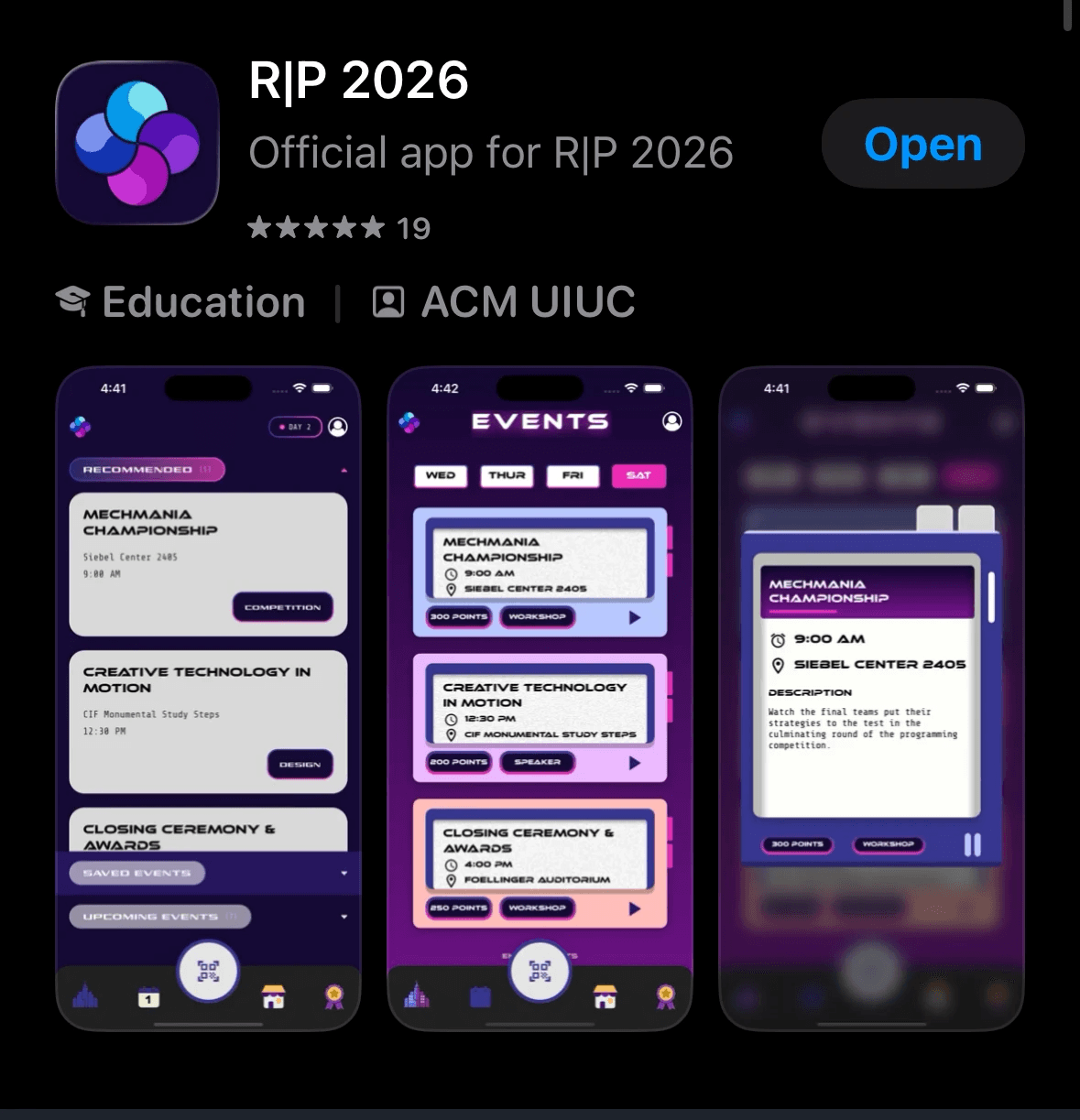
We had over 500+ attendees use our app and website while attending the conference. The intuitive registration and check in system, on-theme UI, and organized event calendar was crucial to a great event.
We had over 500+ attendees use our app and website while attending the conference. The intuitive registration and check in system, on-theme UI, and organized event calendar was crucial to a great event.

Another designer built "system chips." I expanded her design into different colors and gradients.
Another designer built "system chips." I expanded her design into different colors and gradients.
Another designer built "system chips." I expanded her design into different colors and gradients.

a closer look: home page
RP Logo — displayed in the top-left corner
Recommended Events — highlights events based on the user's interests
Upcoming Events — shows the user all events for that day
QR Code — event staff scan attendees' QR code for attendance and to redeem points
Color Scheme — a cool-toned color scheme emulates the neon, city aesthetic

a closer look: loading screen
RP Logo — displayed in the center
Loading Icon UI — dynamic and modern
Background — I designed it on Figma
a closer look: home page
RP Logo — displayed in the top-left corner
Recommended Events — highlights events based on the user's interests
Upcoming Events — shows the user all events for that day
QR Code — event staff scan attendees' QR code for attendance and to redeem points
Color Scheme — a cool-toned color scheme emulates the neon, city aesthetic
a closer look: loading screen
RP Logo — displayed in the center
Loading Icon UI — dynamic and modern
Background — I designed it on Figma